
How to Make a Cardo Your Dinner Is Ready AI Video
Put yourself and a friend in the viral Cardo Your Dinner Is Ready AI video. Learn who plays each role, what photos to upload, and how to make yours.
Who’s serving, and who’s taking the first bite?
Cast yourself and a friend in Cardo’s dinner scene. One of you serves the oversized snack while the other takes a bite.
- 2 photos
- 15s · 9:16 MP4
- 720p · 100 credits
A seated diner looks at his partner’s long red nails beside a plate of bright red snacks. The standing partner brings one snack to the diner’s mouth.
Source reference · 15-second excerpt · sound included. This shows the selected dinner scene, not a verified result generated from user photos.If your best friend has ever handed you a plate of food and acted like they just won MasterChef, this trend was made for the two of you.
Meet Cardo Your Dinner Is Ready — the dinner meme where someone presents an absolutely enormous plate of food, shows off their ridiculously long nails, and hand-feeds another person like it's the most important meal of their life.
It's funny on its own. But imagine replacing those two people with you and your best friend.
You could be the one getting spoiled at the dinner table. Or the one serving a giant, cheesy snack with a dramatic flourish.
Either way, someone is getting roasted in the group chat.
The Cardo Your Dinner Is Ready AI effect on TrendClipGen uses two separate person photos to create a 15-second, 9:16 dinner video with AI-generated dialogue and the scene’s vocal-removed background sound. No cooking, filming or editing an entire dinner skit required.
Wait, Who Is Cardo?
This isn't some random AI cooking video. The dinner skits shared by @realjayllnn on TikTok feature Cardo being called to dinner and treated to an over-the-top meal.
The food is enormous. The serving is ridiculously dramatic. And the long acrylic nails are practically a character of their own.
The version used for this effect features a plate of oversized red, crunchy snacks and a bowl of yellow cheese-style dip. One person handles the food; the other gets the royal treatment.
The joke isn't that the food is bad. It's that everyone treats the entire meal like a five-star dining experience.
Our 15-second cut focuses on the long-nail gestures, dipping and hand-feeding, a napkin wipe and the diner's reaction. It doesn't reproduce the entire longer skit or every edit of the meme.
That's where you and your friend come in.
The Real Question: Who's Getting Fed?
Before making your video, you have an important casting decision. There are two roles, and they're very different.
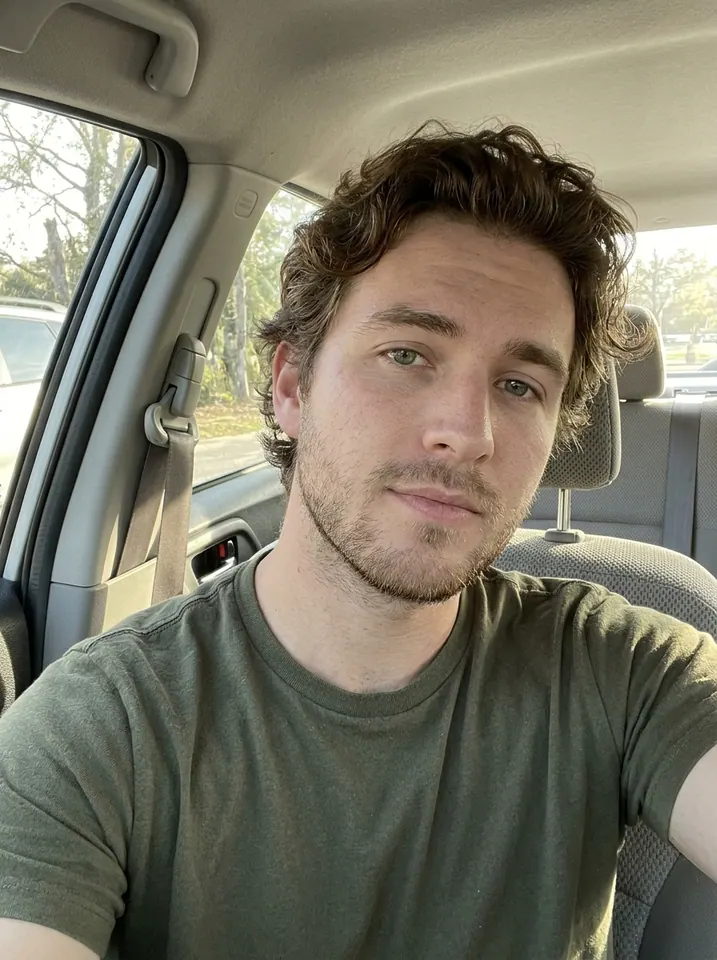
Photo 1 · The diner: The person seated at the table in the foreground. They take the bite, chew, hold the remaining snack and react to their partner. This is the person replacing Cardo.
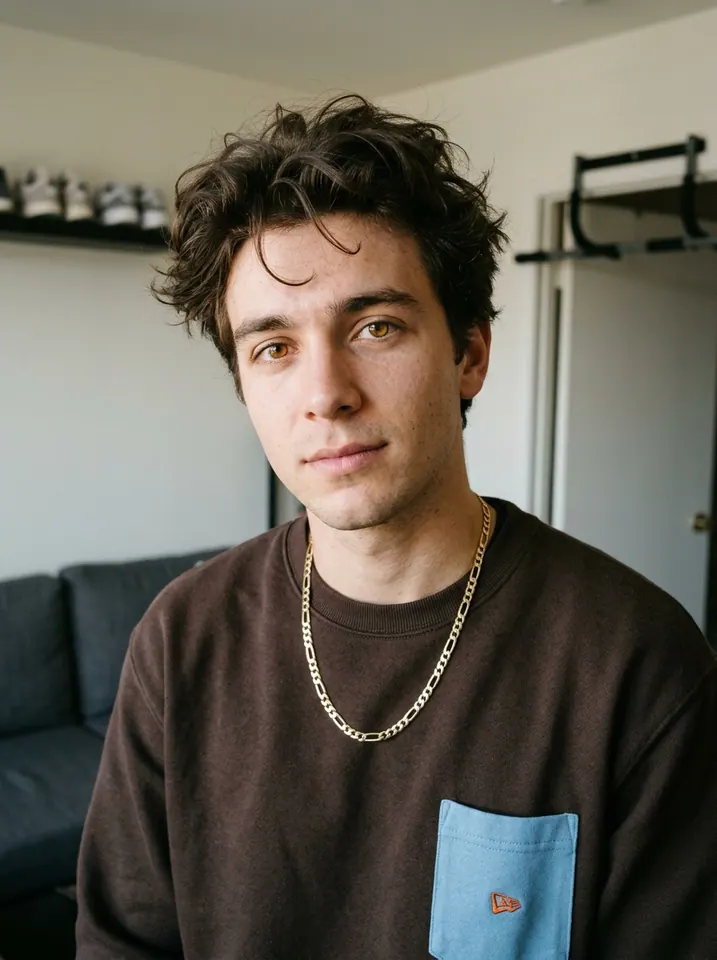
Photo 2 · The server: The partner standing behind the diner. They show the long red nails, dip and hand over the snack, then use a white napkin to wipe the diner's mouth.
These are fixed character roles, not “whoever happens to be on the left.” Photo 1 stays the diner throughout; Photo 2 stays the helper behind them. The exaggerated red nails belong to Photo 2's character only, as a prop for the scene.
Personally, I'd give the diner role to the friend who never turns down free food. And the server? Definitely the one who posts every meal on Instagram.
Role guide: these example portraits come from the source clip. They explain the two upload slots, not a completed AI task's before-and-after result. Use one separate photo of each of your own two stars.
Your Dinner Scene Is Only a Few Clicks Away
The nice thing about this trend is that you don't need to cook anything. You also don't need to find a giant plate or buy a set of long red acrylic nails.
Start With the Cardo Dinner Effect
Open the Cardo Your Dinner Is Ready AI effect and watch its preview. Different versions of the meme feature different meals and scenes. Make sure this is the one you want.
Choose Your Cast
Prepare one clear photo of each person. Put the diner in Photo 1 and the server in Photo 2. A waist-up portrait works well because both characters spend most of the scene close to the camera.
Use photos with visible faces, good lighting and minimal filters. You wouldn't want to accidentally become the one doing all the serving, so check the role labels before submitting.
Let AI Serve Dinner
Choose 480p, 720p or 1080p, check the displayed credit cost, then select Generate. Estimated processing time is 5–15 minutes. Check progress in My Videos, where you can preview and download the finished MP4.
When it's ready, watch the feeding moment and the napkin wipe. Check that both people are recognizable and that hands, food and faces stay separate.
Then download it and send it to your dinner partner.
Try Cardo Your Dinner Is Ready AI →
A Heads-Up About Those Giant Cheese Sticks
This effect has a few details that can be tricky for AI. Two people are moving around the same table. One person's hand comes close to the other person's face. And there's an oversized piece of food involved.
That's a lot happening in one shot.
Occasionally, AI-generated hands or fingers can look odd. The snack might change shape, or someone's face might shift slightly during the feeding moment. To give it a better starting point:
- Use one person per photo. A group selfie or collage doesn't clearly assign the two roles.
- Keep both faces uncovered. Avoid a phone, sunglasses or hair hiding the features.
- Show the hair and some upper body. Sharp, well-lit portraits give the AI more information about each person's face, hairstyle and clothes.
- Use the outfits you want to see. Each person's photo guides their own visible clothing; you don't have to dress like the source characters.
The nails are an intentional prop on the server, even if their photo has none. Extra fingers, floating nails or a hand blending into the diner's face are generation errors, not part of the joke.
An exact likeness and perfect hands aren't guaranteed. If the result looks strange, check the input photos before spending credits on another version.
And remember, the point isn't to create a flawless food commercial. It's to make a ridiculous video starring two people who have absolutely no business taking dinner this seriously.
Is Cardo Your Dinner Is Ready AI Free?
Browsing the effect and watching its preview are free. Generating your own video uses credits. This 15-second version costs 50 credits at 480p, 100 at 720p, or 250 at 1080p. Review the selected quality and current quote before generating.
The regular USD Starter Pack is $9.90 for 100 credits. Eligible first-purchase offers and regional currency prices appear on Pricing & Credits. One-time credit packs don't require a subscription, and purchased pack credits don't expire. Membership options have their own billing and credit rules.
If generation fails because of a technical issue, the deducted credits are automatically returned. A successfully generated video that doesn't match your expectations is different: making another version starts a new paid task. See the Refund Policy for details.
Before You Invite Someone to Dinner…
Can I make the Cardo Dinner AI video with just one photo?
This effect requires two separate person photos: Photo 1 for the seated diner and Photo 2 for the standing server. There isn't a one-photo option with a preset partner in this template.
Can I swap who serves and who eats?
Yes. Assign your photos to the opposite slots before generating. Photo 1 always controls the diner, and Photo 2 controls the server; the characters don't switch roles midway through the video.
Whose voices will I hear?
AI generates the picture and English dialogue together. Photo 2 is the standing main speaker; Photo 1 is seated, eating and giving brief replies. We keep those generated voices and mix in this scene’s vocal-removed background sound. Voices and wording can differ from the source preview, and exact lip-sync is not guaranteed. It does not clone either uploaded person’s real voice. Check your rights to the audio before publishing or using the clip commercially.
Can I change the food or the background?
This ready-made preset keeps the dinner-table setting, oversized red snacks, yellow dip, feeding and napkin interaction. The photos guide the two people; they don't select a different menu or room. For a custom scene, use the separate free-prompt options on Photo to Video.
How long is the Cardo Dinner AI video?
This version is 15 seconds, in 9:16 vertical MP4 format. It uses the selected feeding-and-reaction sequence, rather than the full longer source video. Output quality can be 480p, 720p or 1080p.
Can I make this with my partner or roommate?
Of course. It's especially funny with someone who knows you well. Just make sure both people agree to their photos being used in an AI-generated video. For photo processing and deletion requests, see the TrendClipGen Privacy Policy.
Dinner Is Served. Now Send It to Your Friend.
There are plenty of viral AI effects that make you look cool. This one makes you look like someone who takes a plate of cheesy snacks way too seriously.
And that's exactly why it's worth trying.
Choose the friend who deserves the royal treatment. Or the one who'd absolutely insist on being the chef.
Upload your photos, make your own Cardo Dinner AI video, and send it to the group chat.
For the caption, you could keep it simple: “POV: My roommate said they made dinner.” Or just: “Five-star service. Zero reservations.”
Make Our Cardo Dinner AI Video →
Because every friend group deserves one completely unnecessary dinner scene.