
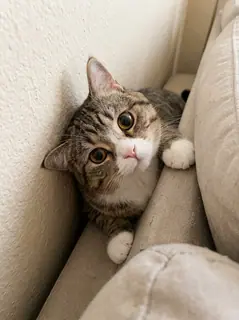
Your photo is where the story starts
This is an effect preview. You can check progress and watch your finished video in My Videos.
Use this templateLoading…
Cat Middle Finger AI Video
Restoring draft…
- Estimated time
- 5–15 minutes
- Credit cost
- Loading…
Credits are automatically returned if generation fails due to a technical problem.
Your finished MP4 will be saved in My Videos, where you can play and download it.
Loading…
Use photos and likenesses you have permission to use.
Try More Viral Videos
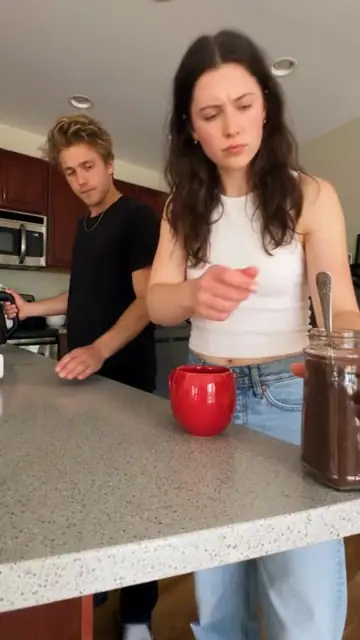
What is Cat Middle Finger AI?
Turn one animal photo into a six-second street reaction. The animal walks upright, briefly moves partly out of frame, returns toward the camera, raises a furry paw in a middle-finger-style gesture, then turns and walks away. The template uses the supplied depth motion and this source clip’s own soundtrack.
- What your photos control
- Your one photo guides the only animal throughout the clip: species, face, ears, eye color, coat markings, build, tail and existing accessories. The original orange cat is a source example, not a required appearance. The animal returning after leaving the frame should keep the same identity. The current video is a supplied generated example using the tabby cat photo shown here.
- Movement and background
- AI generates a new clip from the example’s routine and setting. Backgrounds, camera movement, expressions and occlusion may vary; frame-for-frame matching is not guaranteed.
Photo to video: a paired example
Compare the input photos with their corresponding video to assess the subject’s appearance and movement.
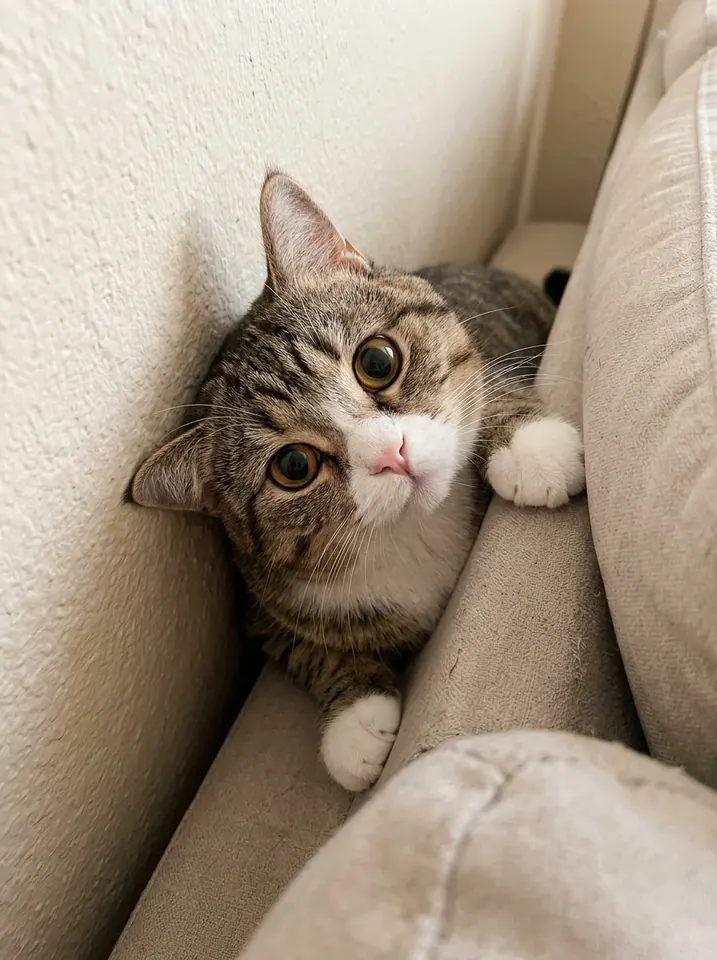
What happens in this video?
Three frames from this template’s showcase explain the scene and performance.
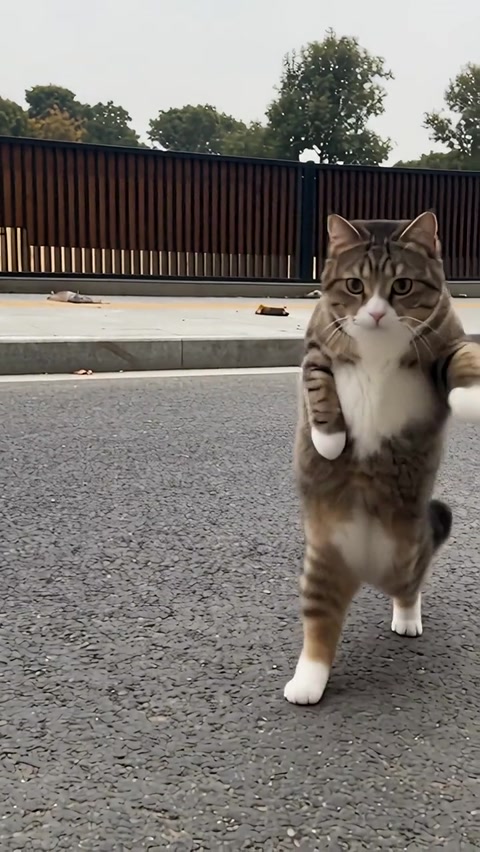
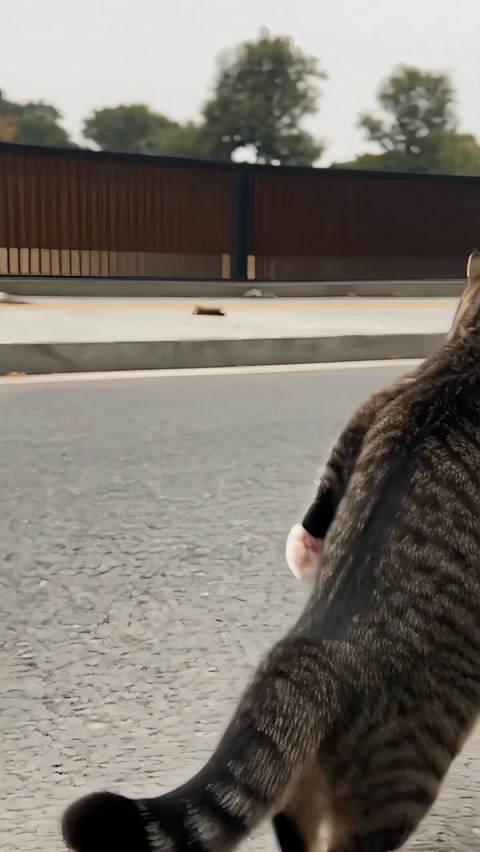
01 · Opening Step past the edge of the frame
The animal walks upright across the street and briefly moves partly out of view. Its tail may remain visible before the same animal returns.
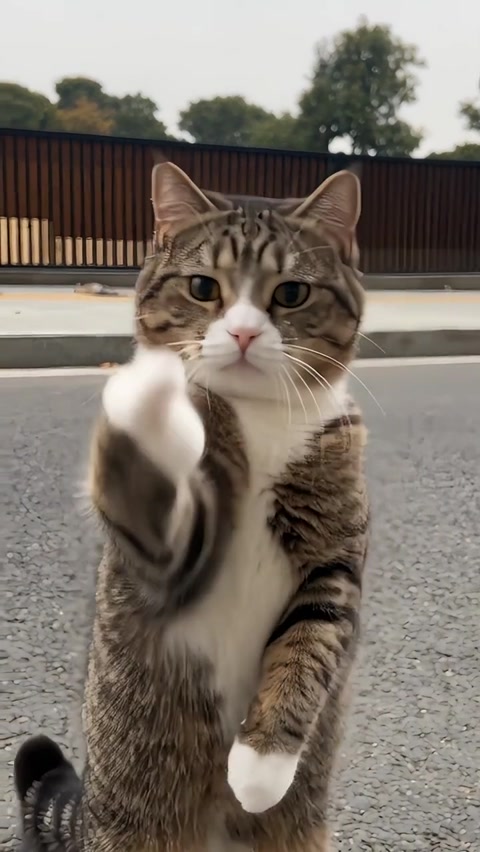
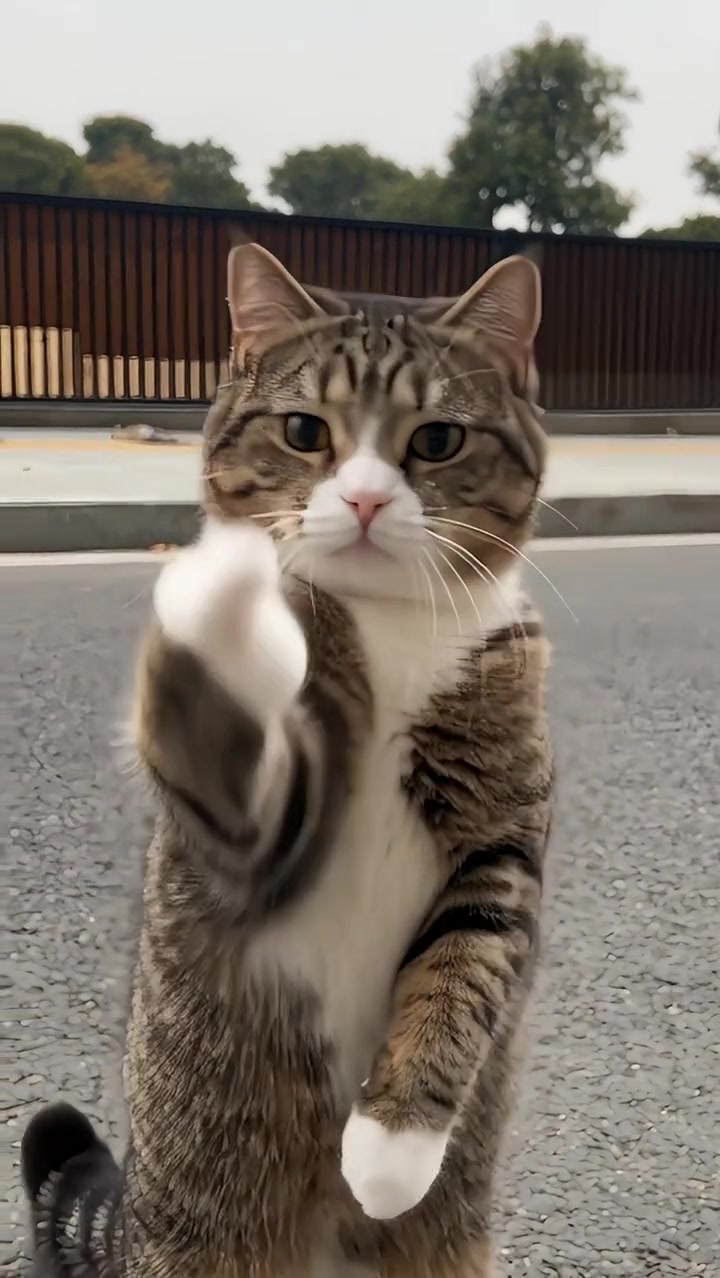
02 · Middle Walk up and raise a paw
The animal approaches the camera, looks forward and raises one furry paw in front of its face with a middle-finger-style gesture.
03 · Later Turn around and walk away
The paw drops, the head and body turn toward the right rear, and the animal leaves with its back and tail visible.
How to get a better result
Recommended photos
- Use a sharp, well-lit photo of one animal, with its face, eyes, ears and muzzle clearly visible
- Include the body, paws, tail and any accessories you want to keep; a natural standing or sitting photo is fine
- Even lighting and clear detail
- A subject outline distinct from the background
Try to avoid
- Collages, chat interfaces or watermarked screenshots
- Group pet photos, hidden ears or eyes, covered muzzles, heavy filters and blurry images
- Tiny distant animals, face-only crops and photos that cut off most of the body or tail
- Blur, darkness or heavy filters
If the result needs improvement
- The appearance looks different
- Choose a clearer photo that shows the animal’s eyes, ears, muzzle and coat markings. The animal returning from offscreen should match the original upload, rather than switch to the orange source cat. There is no manual identity-repair control.
- Limbs or props connect awkwardly
- Show the paws and body in the reference. Upright walking and the finger-like paw pose can produce extra digits, a human-looking hand or unstable legs. The prompt asks for a furry animal paw, but the exact shape is not guaranteed.
- Roles or positions get mixed up
- There is only one animal and one upload slot. The body at the edge, the visible tail, the close-up animal and the departing back all belong to the same pet. A second animal or a different coat on return is an identity inconsistency, not a missing photo.
- The movement or performance differs
- The AI recreates the animal and street rather than editing only the source face. Walking upright and shaping a paw into a finger-like gesture can change anatomy, coat details or likeness. Exact toe shapes and frame-for-frame motion are not guaranteed.
- The task reports a generation failure
- Check the task status in My Videos first. Technical failures return deducted credits automatically; a successful video that does not meet personal expectations is a different situation. Each new generation costs credits, so review the refund policy before retrying.
How to Make a Cat Middle Finger AI Video
- Step 01
Upload your photos
Choose a clear photo of one pet, with its face and body visible.
- Step 02
Generate your video
Choose 480p / 720p / 1080p, confirm the credits, and submit. The current output is 6 seconds in 9:16. You can leave the page while it processes, then check My Videos when ready.
- Step 03
Download and share
When ready, play and download the MP4 from My Videos and save a copy to your device.
My Videos
FAQ
What kind of animal photo works best?
Choose one sharp, well-lit photo of one animal. Keep the eyes, ears and muzzle unobstructed, and include the body, paws and tail when possible. A normal sitting or standing photo works as a reference; your animal does not need to be upright already. Avoid group shots and blurry close crops.
Can I use a dog or another animal, or does it have to be an orange cat?
The upload accepts an animal photo. The preset asks for that animal’s species, face, coat, eyes and existing accessories rather than forcing the orange source cat. Cat and dog paws are closer to the reference than wings or hooves, so very different animals can produce less natural results.
Will it make the middle-finger gesture with a paw or a human hand?
The prompt asks for a furry animal paw with one central digit raised and the others folded. It should keep animal features rather than become a bare human hand. Finger-like paw motion is stylized, and the exact digit shape can be inconsistent; there is no individual toe-editing control.
Why does the animal disappear briefly, and is sound included?
The brief move partly out of frame is part of the supplied routine, followed by the same animal returning, gesturing and turning away. Silent generated pictures are combined with this source clip’s soundtrack for the six-second output. The preset has no custom song or voice selector.
How many credits does Cat Middle Finger AI cost?
The preview is free to watch. A six-second video currently costs 20 credits at 480p, 40 at 720p or 100 at 1080p. Check the displayed quote before you submit; changing quality changes the credit cost.Pricing ↗
What length, shape and format is the finished video?
The current output is an MP4 lasting 6 seconds in 9:16, with 480p / 720p / 1080p quality options. Check the current credit quote before generating.
What if the paw looks wrong or my pet changes after leaving the frame?
Try a clearer reference showing the face, coat, paws and tail. Moving out of frame, returning and turning to the back can cause identity or marking changes, while the close-up gesture can distort the paw. Technical failures return deducted credits automatically. Another version of a successfully generated clip starts a new paid task.View refund policy ↗
When can I download the result?
Estimated generation time is 5–15 minutes. Once ready, the MP4 is available in My videos for preview and download. The site adds no extra watermark. A completed video that differs from your expectations is distinct from a technical generation failure.View refund policy ↗