
How to Make a Cat Middle Finger AI Video From One Photo
Turn one photo of your cat into the viral Cat Middle Finger AI video. Learn how to make the meme, choose the best cat photo, and create yours online.
Give your cat the last word
Use one cat photo to recreate the walk up to the camera, the raised paw and the very casual exit.
- 1 photo
- 6s · 9:16 MP4
- 720p · 40 credits
A tabby cat walks upright on a street, raises one digit on a front paw toward the camera and turns away.
Generated example · 6 seconds · sound included. Made with the input photos shown.You know that look your cat gives you when dinner is five minutes late?
Now imagine your cat actually getting up, flipping you off, and walking away like it pays the rent.
That's basically the Cat Middle Finger AI trend — and it's every cat owner's worst suspicion brought to life.
The videos are as ridiculous as they sound. A perfectly innocent-looking cat walks up to the camera, raises a paw, gives you the middle finger, and leaves without a hint of remorse.
The good news? You can make a version starring your own cat. No need to train it to walk on two legs or learn questionable hand gestures.
You just need a photo and an AI video effect.
Wait, What's the Cat Middle Finger Trend?
It's exactly what it sounds like, but the timing is what makes it funny.
In this version, the cat walks out of view, comes back toward the camera on its hind legs, looks adorable for a moment, and then raises one paw toward the viewer.
The cat turns around and walks away like nothing happened.
It's the contrast that sells the middle finger cat meme: an innocent face, one rude little gesture, and a completely unbothered exit. Putting your own pet in the scene makes it even more personal.
And no, these aren't real cats performing rude gestures. The movements and human-like paw shapes are AI-generated.
That's part of the joke.
Your Cat Can Star in the Meme, Too
The funniest version isn't necessarily the one with the most realistic animation.
It's the one where you recognize the cat.
Maybe yours is a fluffy orange troublemaker. Maybe it's a tiny black cat that acts like it owns the house. Or maybe it's the sweetest-looking kitten that secretly judges everyone.
Put that familiar face into the video, and the joke becomes personal.
Here's the idea:
Your photo: Your cat sitting on the couch, standing by the window, or looking innocent in your camera roll.
Your video: The same cat walking toward the camera, raising a furry paw in a deliberately human-like gesture, and leaving you speechless.
The result doesn't need to look like a wildlife documentary. It just needs to look enough like your cat for your friends to recognize it.
How to Make Your Own Cat Middle Finger AI Video
The simplest approach is to use a ready-made effect rather than trying to animate a cat from scratch.
On TrendClipGen, open the Cat Middle Finger AI effect. Here's how to make your version.
Find the Cat Middle Finger Effect
Open the effect and watch its preview.
This template follows the walk-up version: a brief walk out of view, a return toward the camera, one raised paw, and a turn away. It does not offer a separate seated or double-paw variant.
Pick a Good Photo of Your Cat
This effect needs one photo of one animal. A cat is the closest match to the reference.
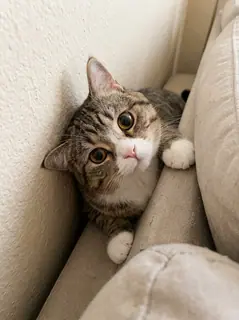
Ideally, choose one that shows your cat's face, fur markings, front legs, and most of its body.
A sitting or standing photo works well. You don't need to make your cat stand on two legs.
In fact, please don't try to teach it the middle finger.
It's an AI video. Your cat can remain completely unaware of its internet reputation.
Generate and See What Happens
Upload your photo, review the available settings and credit cost, and select Generate.
The output is a 6-second, 9:16 MP4, with 480p, 720p, or 1080p quality options and the reference soundtrack added. Estimated generation time is 5–15 minutes; you can check progress in My videos.
When your video is ready, check the face, fur markings, and, of course, the big middle-finger moment.
If everything looks good, download the clip and send it to the group chat.
Try Cat Middle Finger AI on TrendClipGen →
The One Thing AI Sometimes Gets Wrong: Cat Paws
Here's something you should know before making the video.
Cats don't have human middle fingers. AI has to invent that gesture, and sometimes it gets a little creative.
You might see a paw with too many toes, a hand that looks suspiciously human, or a gesture that doesn't quite resemble the middle finger.
The cat might also change fur patterns while walking upright.
If your result looks strange, start by checking your reference photo.
A sharp image with visible front paws and clear fur markings usually gives the model more useful information than a blurry, tightly cropped selfie of your cat.
One cat per photo is best. Avoid pictures where two pets overlap.
And remember: even with a great photo, AI-generated motion isn't perfectly predictable.
Sometimes the weirdest-looking version is the funniest one.
How Much Does a Cat Middle Finger AI Video Cost?
TrendClipGen uses one-time credit packs instead of monthly subscriptions.
Standard credit packs start at $9.90 for 100 credits, and purchased credits don't expire. Any complimentary credits available to your account appear in your balance.
For this 6-second effect, the current cost is 20 credits at 480p, 40 credits at 720p, or 100 credits at 1080p. The default 720p option costs 40 credits. Check the displayed total before creating your video.
You can see the available packs on the TrendClipGen Pricing page.
What happens if generation fails?
If a task fails because of a technical error, the credits are automatically returned.
If your video generates successfully but the paws or movements aren't what you expected, generating another version starts a new paid task. See the Refund Policy for details.
That's why it's worth choosing a good photo first.
A Few Things Cat Owners Usually Want to Know
Can I make the Cat Middle Finger video from just one photo?
Yes. This template uses one animal photo, with one pet in the image. Choose a clear picture that shows its face, body, and front paws.
Can I use a photo of my dog instead?
This effect accepts an animal photo, so you can try a dog or another pet. Cats are the closest match to the reference. Other animals have different proportions and paws, so their appearance and the gesture can vary; an exact match is not guaranteed.
Does my cat need to be standing up in the photo?
No. A normal sitting or standing photo is fine. The AI creates the upright walking animation. A photo showing more of your cat's body may help preserve its proportions.
Is the Cat Middle Finger video real or AI-generated?
It's AI-generated. Real cats can't deliberately flip someone off with a human-style middle finger. The effect creates the illusion of a cat making that gesture.
Does the generated video include sound?
Yes. This preset adds the original reference clip's soundtrack to the generated 6-second video. Play the preview to hear it. There is no custom music selector in this effect, and generating a clip does not grant a separate music license.
Can I post my Cat Middle Finger video on TikTok or Instagram?
You can share your generated clip, subject to the platform's rules on AI content and rude gestures. Use an AI-generated-content label where required, and make sure you have the rights to any music you add.
Honestly, This Is Perfect Group Chat Material
You don't even need a clever caption. A cat casually flipping someone off is usually enough.
But if you want one, try:
- "My cat when I say no more treats."
- "She said she's friendly."
- "POV: I tried to pet him."
- "My cat's response to the vet appointment."
- "And people wonder why I love cats."
Personally, the funniest version is the one where your cat looks completely innocent right before the gesture.
That's the whole charm of the trend: a cute face, terrible manners, and absolutely zero regrets.
Make My Cat Middle Finger AI Video →
Your cat already has the attitude. Now give it the video.