
How to Make a 58th Floor AI Video With a Friend
Turn photos of you and a friend into a 58th Floor AI rap video. Recreate the teal studio performance, learn photo tips, and generate yours online.
Two friends, one hanging mic
Put yourselves in the teal studio. The first photo casts the partner on the left, and the second casts the lead on the right.
- 2 photos
- 15s · 9:16 MP4
- 720p · 100 credits
Two performers face one another beside a hanging microphone in a teal studio. They take turns gesturing and leaning toward the mic.
Original reference clip · about 15 seconds · sound included. This shows the scene and role positions, not a verified generated result from user photos.Every friend group has someone who thinks they could absolutely kill it in a recording studio.
Well, now you can put that confidence to the test.
The 58th Floor AI trend lets you and a friend step into a rap performance inspired by Anderson .Paak and Cordae's A COLORS SHOW. There's a teal studio, one microphone hanging from the ceiling, and two people performing together like they've been making music for years.
The best part isn't just seeing yourself rap. It's watching your friend get their moment at the mic.
On TrendClipGen, the 58th Floor AI effect takes two separate person photos and makes a 15-second vertical video. Photo 1 guides the left partner; Photo 2 guides the right lead, including the solo close-up. The AI generates the picture and rap voices together; postprocessing keeps those vocals and mixes in the supplied clip’s accompaniment.
Why Is Everyone Talking About the 58th Floor Performance?
It started with a song, not an actual 58-story building.
Anderson .Paak and Cordae released their joint album Heavy Is The Crown on October 23, 2026. The Apple Music album listing includes “58th Floor”; the COLORS performance single is dated October 30, 2026.
If you're familiar with COLORS, you know the appeal: a stripped-back studio that keeps the attention on the performers. Here, the teal background and hanging microphone leave plenty of room for the pair's expressions, hand gestures and reactions.
It's the little moments that make this scene fun to recreate — the grins, the head nods, and the look one performer gives the other. You don't need an elaborate stage when the chemistry is this good.
The photo-based version makes the joke personal: put two familiar faces in those spots and imagine your group chat getting its own studio session.
Who Gets the Mic First?
Here's the important decision: who do you want in each role?
For this effect, the assignments are fixed. Photo 1 becomes the left partner. Photo 2 becomes the right lead and gets the solo close-up. The camera also cuts to a full-body shot on a low stage, then returns to the pair together.
Give your most talkative friend the close-up. Or put your quietest friend there and see what happens.
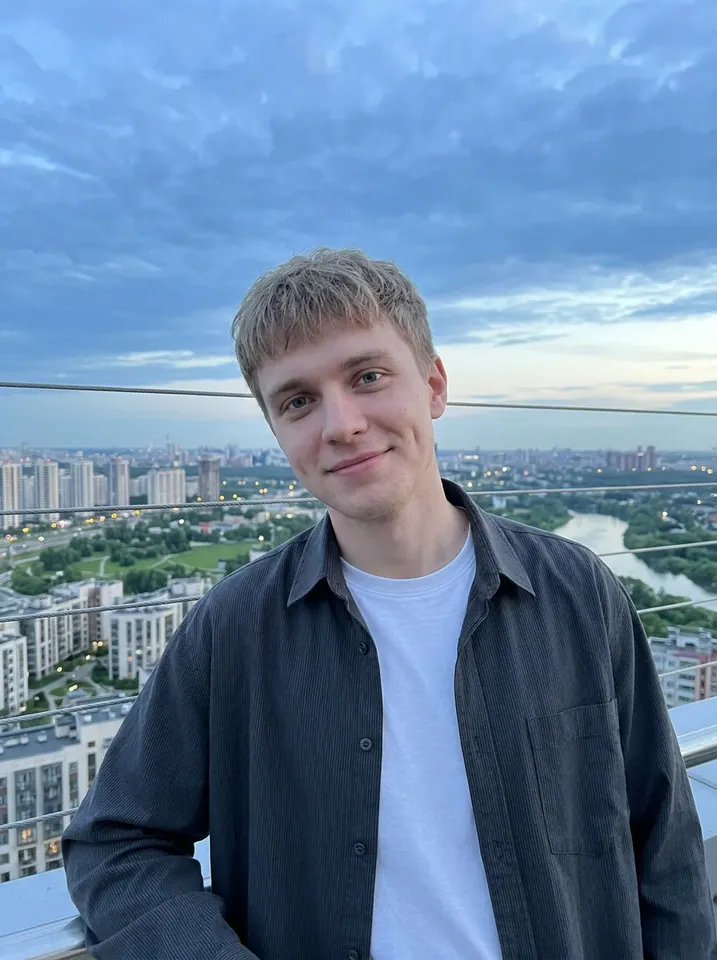
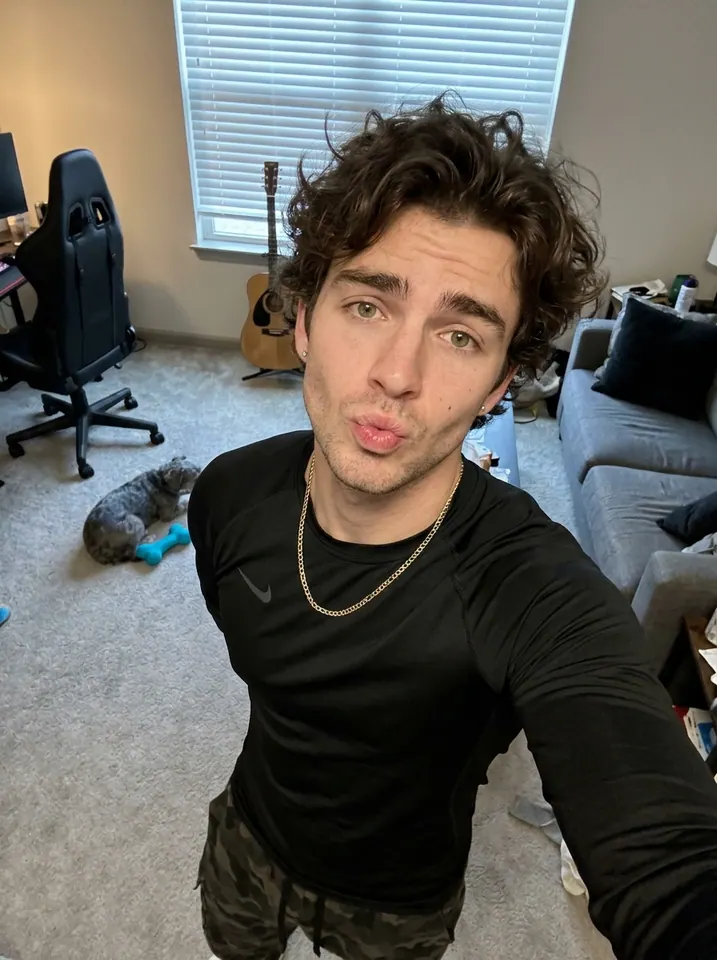
These two portrait photos are the inputs for the example video shown here. Photo 1 is the left performer; Photo 2 is the right performer.
Getting Your Own 58th Floor AI Video
Recreating two people across several camera shots is more involved than describing a room and a microphone. A ready-made effect gives you the scene and movement without writing a long prompt.
Find the Right Performance
Open the 58th Floor AI effect and watch the preview. This version uses the teal studio, suspended microphone, paired gestures, a right-lead close-up and a wider stage shot. It recreates a short segment, not the complete song or performance.
Choose Your Two Photos
Upload one clear photo of each person, with their permission. Put the left partner in Photo 1 and the right lead in Photo 2. A single group selfie cannot assign both roles.
You don't need to pose with a microphone or wear anything special. If you want more of your outfit to carry through, choose waist-up or full-body photos.
Let the AI Take Over
Choose 480p, 720p or 1080p, check the displayed credit cost, then select Generate. Estimated processing time is 5–15 minutes. Follow progress in My Videos, where you can preview and download the finished 15-second, 9:16 MP4.
Watch the entire result before sharing. Are both faces recognizable? Do the outfits stay distinct through the close-up and wide shot? Does the microphone look natural when hands move around it?
Try the 58th Floor AI Effect →
A Few Things That Make the Result Better
The studio is simple. Keeping two people consistent while they move is the harder part.
- Use separate photos. Each image should show one person, so the model has a clear reference for each role.
- Keep faces unobstructed. Skip sunglasses, low hats, heavy filters, or a phone covering the face.
- Show the outfit you want. Visible shoulders, arms and clothing give the AI more to work with. A full-body photo also helps guide the wide shot.
- Don't expect perfect lip-sync. The performance can look rhythmic without matching every word exactly.
Each photo guides that person's face, hairstyle, body and visible clothes. The goal is to replace both performers, not dress everyone in the original actors' outfits. AI can still change faces, fingers, clothing details or cut timing; an exact match throughout isn't guaranteed.
If something looks off, try a better reference photo before spending credits on another version.
What About the Song?
The scene is associated with “58th Floor” by Anderson .Paak and Cordae and its COLORS performance. The supplied reference is only a short excerpt.
This effect generates the performance and both rap voices together, then mixes the generated vocals with the supplied clip’s accompaniment. Photo 1 opens the rap and Photo 2 takes over. You don't need to record yourself rapping, and it doesn't clone your voice. The singers’ voices and lyric details may differ from the source recording; exact lip-sync is not guaranteed. The preview shows the original reference performance.
Preview the lyrics before sharing with a family chat or using the clip for a brand. Generating a video doesn't itself grant commercial rights to the recording; use audio you have permission to publish.
Is 58th Floor AI Free?
Watching the preview is free. Generating your version uses credits. For this 15-second effect, the current costs are 50 credits at 480p, 100 at 720p, or 250 at 1080p.
The regular USD Starter Pack is $9.90 for 100 credits. Eligible first-purchase offers are shown separately. Check Pricing & Credits for the currency, offers and payment options available to you. Purchased packs are one-time payments, with no subscription or automatic renewal, and purchased credits don't expire.
If generation fails because of a technical issue, the deducted credits are automatically returned. A successfully generated video that you choose to remake is a new paid task. See the Refund Policy for details.
Questions You Might Have Before Trying It
Can I make a 58th Floor AI video with one photo?
This effect requires two separate human portraits, one for each performer. One group photo does not fill both slots.
Do I actually need to know how to rap?
Not at all. The AI creates the picture and rap voices together, then the platform mixes in the original accompaniment. You don't need to memorize lyrics or record your voice.
Will the video look like Anderson .Paak and Cordae?
Your photos guide the replacement performers' appearance and clothing. The scene is inspired by the reference; the intention isn't to turn you into the original artists. Facial, clothing and movement details may vary.
Can I make it with my best friend?
That's the fun of it. Use one clear photo of each of you, with your friend's permission. Photo 2 gets the right lead's close-up, so choose your roles before uploading.
Can I use my dog or cat instead?
This template is configured for two people, not pets. Try the Singing Dog AI effect if you want a pet performance.
Is 58th Floor AI an official COLORS effect?
No. This is an independent, fan-inspired AI recreation. It is not an official product of COLORS, Anderson .Paak, Cordae or their record labels.
For information about uploaded photos and deletion requests, see the TrendClipGen Privacy Policy.
So, Which One of You Is Taking the Verse?
You don't need a recording contract to have your own rap moment. Pick two photos, choose your roles, and see what happens when you and your friend get a turn at the mic.
Then send the finished video to your group chat and let everyone decide who had the better studio presence.
Make Our 58th Floor AI Video →
The studio is ready. The microphone is waiting. Who's going first?