
How to Make a LISA Tarantino Dance AI Video
Turn your photo into a LISA Tarantino Dance AI video. Try the viral choreography, learn which photos work best, and make your own dance online.
Try LISA’s knee lift and arm sweeps
A clear full-body photo gives the Tarantino dance space to show the overhead gestures and footwork.
- 1 photo
- 15s · 9:16 MP4
- 720p · 100 credits
A solo dancer in a black sleeveless outfit performs in front of a tall wooden doorway. The dancer opens both arms and leans back with one arm raised.
Generated example · 15 seconds · sound included. Made with the input photos shown.There are two kinds of people watching LISA's "Tarantino" dance: the ones learning the choreography and the ones replaying the knee lift while promising themselves they'll learn it tomorrow.
If you're in the second group, this one's for you.
LISA Tarantino Dance AI turns a photo into your own take on the standing dance: arm sweeps, raised hands, knee lifts, and hip movements, without spending your weekend in front of a mirror.
You can try the LISA Tarantino AI effect on TrendClipGen with one person photo.
So, What's the LISA Tarantino Dance Trend?
The dance is inspired by LISA's "Tarantino." Bandwagon reports that the BLACKPINK star released the track with her solo EP PRESS PLAY on October 23, 2026. Its action-film-style music video follows her through a hotel on a mission to deliver a letter to Quentin Tarantino.
For this AI version, the focus is the dance: sweeping arms, overhead gestures, knee lifts, hip movements, a backward lean, and a turn back toward the camera.
Wait, isn't there a Tarantino hand dance, too?
This template recreates a standing, full-body routine, rather than a seated hand-dance performance. Watch the preview to check the movements you want. The template name doesn't add LISA's face or a movie scene to your video.
The Fun Part Is Seeing Someone Unexpected Do It
A talented dancer performing the choreography? Impressive. Your friend who refuses to dance at weddings suddenly doing it? Much funnier.
Use a photo of yourself or a consenting friend. You're creating your own performance inspired by the trend. The photo guides the face, hairstyle, body, and visible outfit; AI may still change details during motion.
Before You Upload, Check Your Photo
The routine involves the whole body, so a tightly cropped selfie isn't your strongest option.
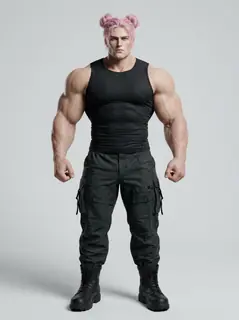
A full-body photo is ideal. Keep your head, hands, and feet inside the frame, with some space above your head for the overhead movements.
- Face the camera so your features are recognizable.
- Choose a sharp photo with good lighting.
- Keep arms and legs visible rather than hidden behind objects.
- Use just one person in the photo.
You don't need LISA's outfit, a dance studio, or a special pose. A normal standing photo in jeans and a T-shirt is a good starting point. If you want a particular outfit, show it clearly, while remembering that an exact match isn't guaranteed.
Let's Get You Dancing
Find the effect
Open the LISA Tarantino AI effect and watch the example. This version uses one dancer, a fixed full-body camera, and a brown geometric architectural background.
Upload your photo
Add one photo of one consenting adult. You don't need to record yourself dancing or supply a reference video. The template provides the movement.
Review the settings and generate
Choose 480p, 720p, or 1080p, check the displayed credit cost, and click Generate. The output is a 15-second, 9:16 MP4. Estimated processing time is 5–15 minutes; follow progress in My videos.
Watch the finished clip from start to finish. Check your face, the raised hands, and the knee movements. If you like it, download the MP4 and share it with your friends.
Try the LISA Tarantino Dance AI Effect →
What If the AI Dance Looks Weird?
Hands can blur during quick arm movements. A leg might bend awkwardly, or facial and clothing details may shift between frames, especially when hands pass in front of the face.
It doesn't necessarily mean you uploaded the wrong photo. A clearer reference showing more of your body gives the AI more information, but it cannot guarantee a clean result.
The model creates a new video, so timing and movement details can vary from the reference. Review the entire clip before posting it.
Does It Come With the Original Song?
This effect adds the supplied reference clip's original soundtrack. Play the preview to hear the actual excerpt. The reference audio runs for about 14.54 seconds; the 15-second output finishes with a short silent tail. The song isn't re-sung, and your real voice isn't cloned.
There is no custom music selector in this preset. Creating a video does not grant a separate music license. If you add or replace music when posting, check the applicable platform and music terms.
Is LISA Tarantino Dance AI Free?
You can browse and preview effects for free. Generating your own video uses credits.
Standard packs start at $9.90 for 100 credits, with no subscription or automatic renewal. Purchased credits don't expire; any complimentary credits appear in your balance.
This 15-second effect currently costs 50 credits at 480p, 100 at 720p, or 250 at 1080p. A 100-credit pack covers the default 720p generation, but not 1080p. See Pricing & credits for current packs.
If a task fails due to a technical error, its deducted credits are automatically returned. A successfully generated video that doesn't meet your expectations isn't a technical failure; making another version starts a new paid task. See the Refund Policy.
A Few Questions Before You Try It
Can I make this from one photo?
Yes. This template requires one person photo. A clear, front-facing, full-body photo is the best starting point.
Can I use a selfie?
You can try, but a close-up gives the AI less information about your arms, legs, and outfit. It must invent the parts outside the photo.
Will the video turn me into LISA?
No. Your photo guides the person's appearance. The effect does not intentionally replace your face with LISA's, though AI consistency isn't guaranteed.
Can I make it with my best friend?
This preset has one dancer and no duo option. With permission, make separate videos and combine them in an editor; each generation uses its own credits.
Is this an official LISA or BLACKPINK effect?
No. It's a fan-inspired AI effect, not an official LISA, BLACKPINK, LLOUD, or RCA Records product. The result is newly generated, not footage from the official music video.
Your Turn to Take the Floor
You don't need a week of dance practice to have fun with the trend. Pick a photo, make your AI dance debut, and send it to the friend who's been telling you to learn the choreography.
Caption idea: "Me after learning absolutely zero choreography." Add an AI-generated-content label wherever the platform requires one.
Make My LISA Tarantino Dance Video →